Skip to Content
Spark Posts

Write it once. It shows up everywhere families look.

Spark is the quickest way to share a win, a reminder or a photo. One post goes to your website, your district app, Facebook, Instagram and X — translated, accessible and on-brand.

No login needed. Nothing you do in the demo is sent anywhere.

Why It Works

What Spark Posts does for you

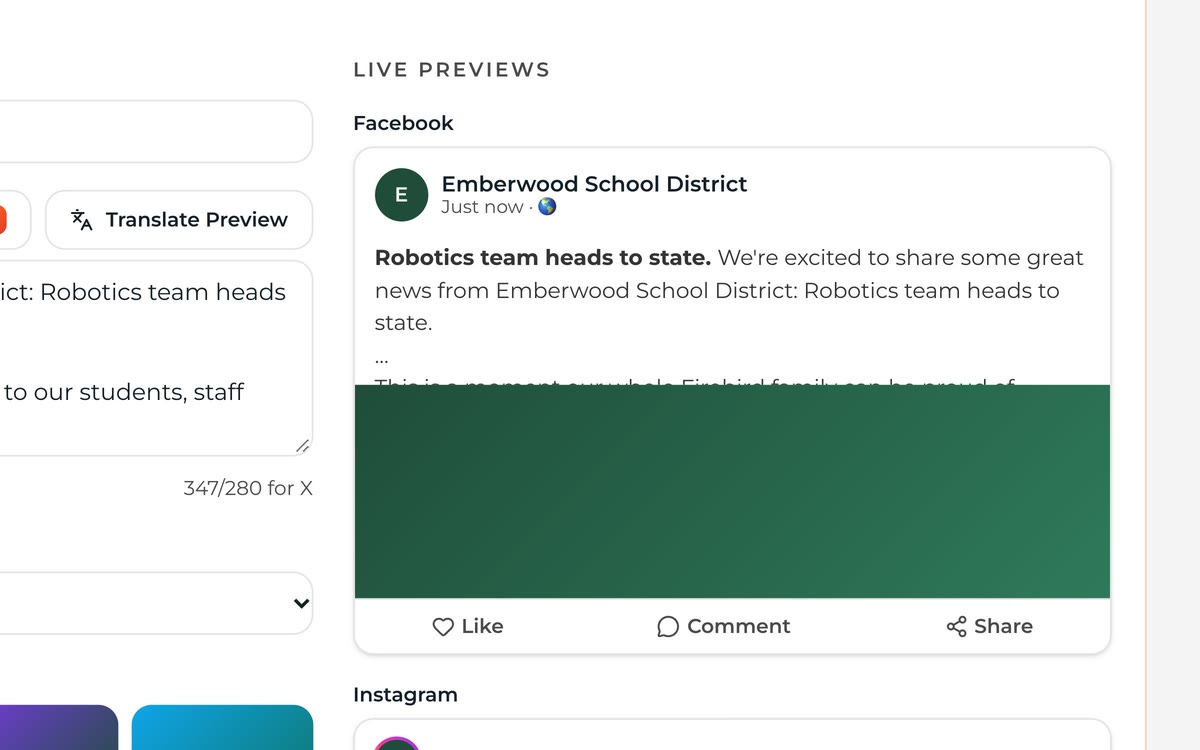
Spark composer showing a finished post with live previews for Facebook, Instagram and X side by side.
Every channel gets its own live preview before you publish.
01

One Post, Every Channel

Pick the channels with one tap. No copying and pasting between five logins.

See It in the Demo

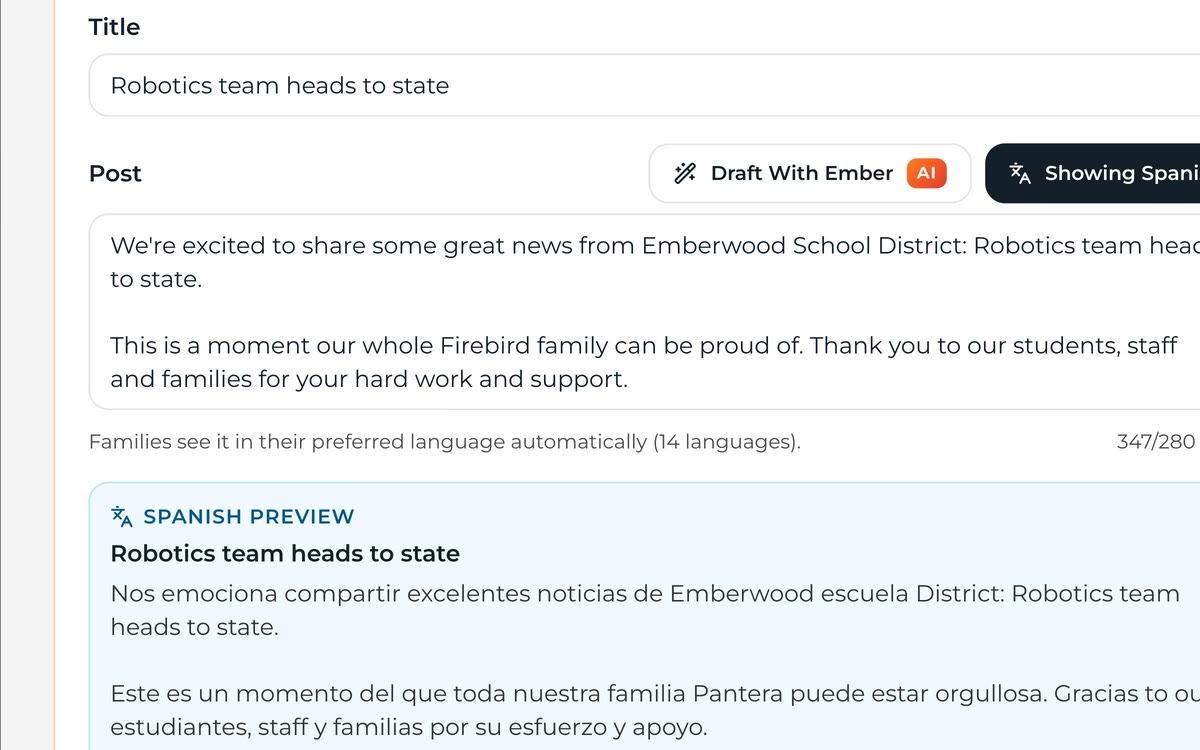
Spark composer after Draft With Ember wrote a full post from a short title, with a Spanish translation preview below it.
A few words in, a warm, clear post out — with a translation preview.
02

Draft With Ember

Turn a few notes into a warm, clear post. You stay in charge of every word.

See It in the Demo
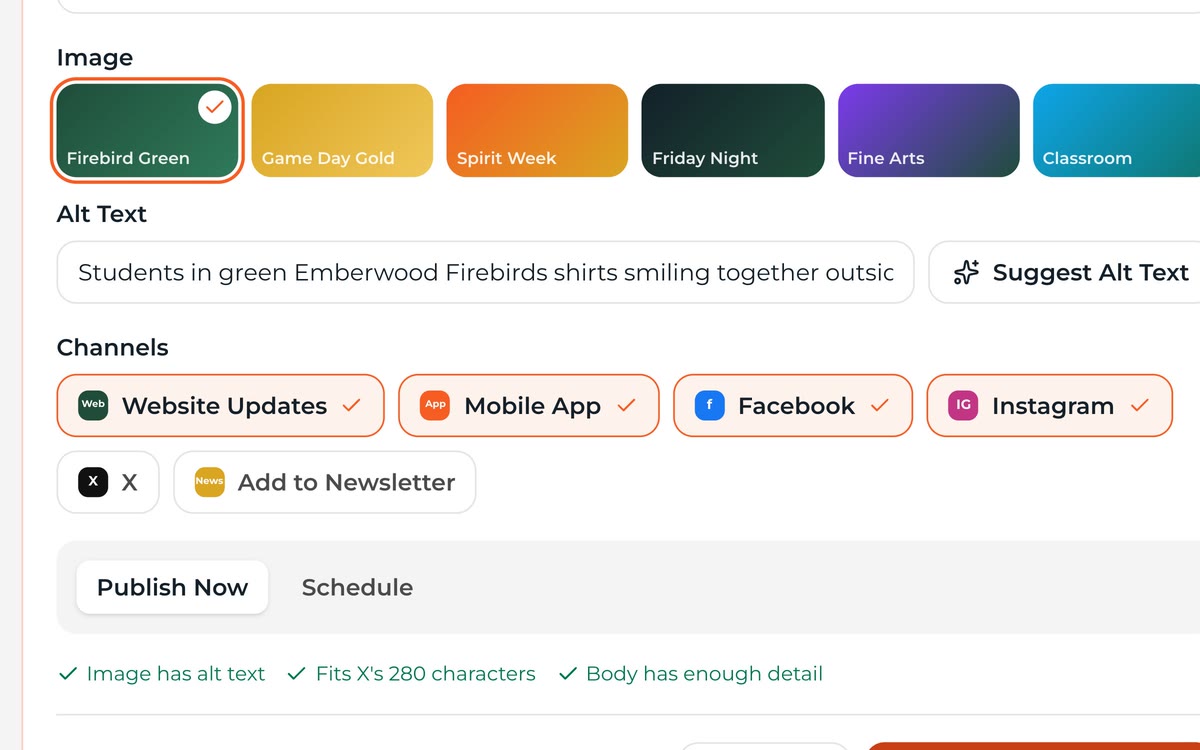
Spark composer image picker with suggested alt text filled in and an accessibility checklist marked complete.
Suggested alt text and a pre-publish checklist on every post.
03

Alt Text Built In

Photos get suggested alt text before they publish, so every post is accessible.

See It in the Demo
  • Translated Automatically

    Families read posts in their home language on the website and in the app.

  • Right School, Right Feed

    Post to the district or a single school. Families see what applies to them.

  • Schedule Ahead

    Queue Friday's spirit-week post on Monday and forget about it.

How It Works

Up and running in three steps

  1. Step 1: Write or Draft

    Type a few lines or let Draft With Ember shape them into a post.

  2. Step 2: Add Photos

    Drop in photos. Alt text and cropping are suggested for you.

  3. Step 3: Choose Where It Goes

    Website, app, social and newsletter. Post now or schedule it.

What's Included

All of it, in every plan

No add-on modules and no premium tier. Every district gets the full platform for one flat annual price.

  • Website, app, Facebook, Instagram and X publishing
  • Photo galleries with suggested alt text
  • Scheduling and drafts
  • Approval workflow for school editors
  • Automatic translation
  • Reach and engagement for every post

FAQ

Questions, Answered

Do posts to X cost extra?
X charges per post with a link, so those use Ember Credits. Website, app, Facebook and Instagram posts are always included.
Can a teacher post without going live right away?
Yes. You can require approval for any role. Drafts wait in a review queue until an admin publishes them.
Where do Spark posts appear on our website?
In any homepage section or page you choose — a feed, a carousel, or a single school's news area.

See Spark Posts With Your Own District

Send us your website address. We'll build a working preview with your logo, colors and real content — free — and walk you through it.